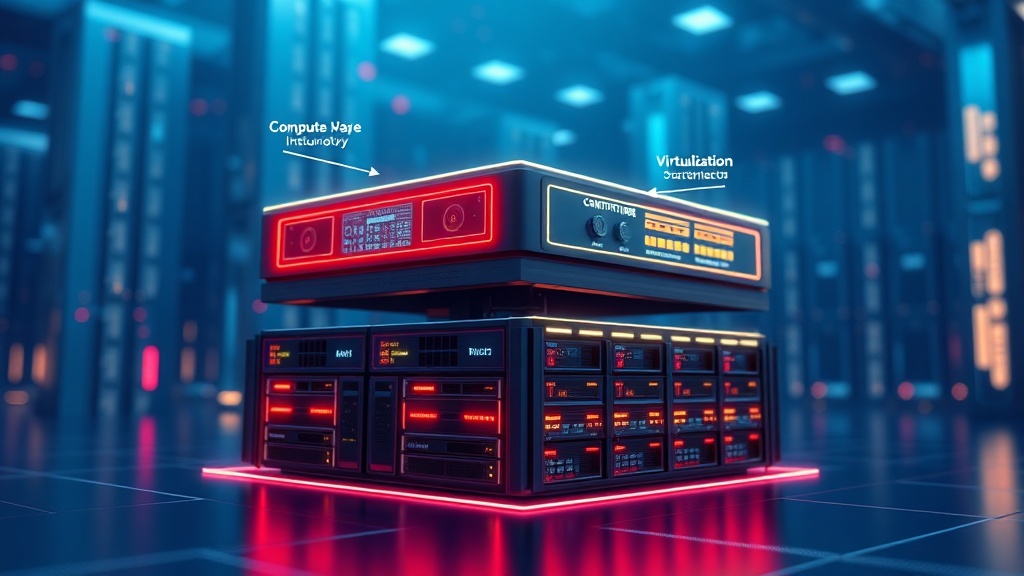
What is Hyper-Converged Infrastructure (HCI)?
Hyper-Converged Infrastructure (HCI) represents a paradigm shift in data center architecture, integrating compute, storage, and networking into a single, software-defined solution running on commodity x86 servers. It consolidates these core data center functions into a unified system, simplifying management and providing a scalable, flexible foundation for modern workloads. HCI platforms abstract hardware complexities, enabling IT teams to manage resources through a single pane of glass, dramatically reducing operational overhead.
Core Components of HCI Architecture
At its heart, HCI is defined by the tight integration of several key software-defined components, working in concert to present a unified resource pool. This architectural synergy allows for unprecedented agility and efficiency within enterprise IT environments.
- Compute Virtualization: This layer, typically powered by hypervisors like VMware ESXi, Microsoft Hyper-V, or KVM, abstracts the physical CPU and RAM, enabling the creation and management of virtual machines (VMs). The hypervisor is fundamental, running directly on the physical hardware and hosting both guest VMs and the HCI platform’s storage control plane.
- Storage Virtualization: This is arguably the most transformative aspect of HCI. Software like VMware vSAN, Nutanix Distributed Storage Fabric (DSF), or Microsoft Storage Spaces Direct (S2D) pools direct-attached storage (DAS) across all nodes in the cluster. It creates a highly available, fault-tolerant, and performance-optimized shared storage resource, eliminating the need for traditional SAN or NAS arrays. Features like deduplication, compression, and erasure coding are often embedded at this layer.
- Networking Virtualization: While not always as deeply integrated as compute and storage, networking virtualization plays a crucial role. Software-defined networking (SDN) components, such as VMware NSX or features within the hypervisor’s virtual switch (e.g., Open vSwitch), enable programmatic control over network services, micro-segmentation, and traffic management, ensuring efficient and secure communication within the HCI cluster and beyond.
- Unified Management Plane: A cornerstone of HCI’s appeal is the centralized management interface. Platforms like VMware vCenter, Nutanix Prism, or Windows Admin Center provide a ‘single pane of glass’ for administering all compute, storage, and often networking resources. This simplifies operations, automates provisioning, and streamlines day-to-day tasks, moving IT teams away from siloed management tools.
HCI vs. Traditional and Converged Infrastructure
Understanding HCI’s distinction requires a comparison with its predecessors. Traditional IT infrastructure features discrete silos for servers, storage arrays (SAN/NAS), and network switches, each managed independently. Converged Infrastructure (CI) offered pre-integrated bundles of these components from a single vendor, simplifying procurement and initial setup but still maintaining separate management domains for the underlying components.
| Feature | Traditional Infrastructure | Converged Infrastructure (CI) | Hyper-Converged Infrastructure (HCI) |
|---|---|---|---|
| Architecture | Discrete, siloed components | Pre-integrated, distinct components | Software-defined, integrated components |
| Storage | External SAN/NAS | External SAN/NAS (pre-configured) | Distributed, software-defined, direct-attached |
| Management | Multiple interfaces, complex | Fewer interfaces, still distinct | Single pane of glass, unified |
| Scalability | Scale compute/storage independently | Scale compute/storage independently or in blocks | Linear, ‘scale-out’ architecture |
| Footprint | Large, multiple racks | Medium, fewer racks | Compact, few servers |
| Agility | Low, slow provisioning | Moderate, pre-validated designs | High, rapid deployment & provisioning |
| Cost Model | High CapEx for separate components | Medium CapEx, reduced integration cost | Lower CapEx (commodity hardware), OpEx savings |
Key Benefits of Adopting HCI in Enterprise Environments
The strategic adoption of Hyper-Converged Infrastructure offers a multitude of compelling advantages for enterprises seeking to modernize their data centers and enhance IT service delivery. These benefits extend across operational, financial, and performance dimensions, making HCI a preferred choice for many digital transformation initiatives.
Operational Efficiency and Simplified Management
One of the most immediate and impactful benefits of HCI is the dramatic improvement in operational efficiency. By abstracting hardware and consolidating management, IT administrators can spend less time on routine infrastructure maintenance and more time on strategic projects. The unified management plane, often accessible through intuitive graphical user interfaces like Nutanix Prism Central or VMware vCenter Server, centralizes oversight of compute, storage, and networking resources. This ‘single pane of glass’ approach streamlines provisioning, monitoring, and troubleshooting, significantly reducing human error and accelerating IT response times. Automation capabilities, such as policy-based management for storage and network services, further enhance efficiency by automating common tasks and ensuring consistent configuration across the cluster.
Scalability and Performance
HCI inherently provides exceptional scalability and predictable performance. Unlike traditional three-tier architectures that often require forklift upgrades or complex expansions of storage arrays, HCI scales linearly by simply adding more nodes to the cluster. Each node brings additional compute (CPU, RAM) and storage capacity, seamlessly expanding the resource pool. This ‘scale-out’ model allows enterprises to grow their infrastructure precisely as their needs evolve, avoiding over-provisioning and maximizing resource utilization. Modern HCI platforms also incorporate advanced software-defined optimizations like intelligent data tiering, read/write caching (using NVMe or SSDs), data locality, and workload balancing. These features ensure consistent, high-performance delivery for a wide range of applications, from general-purpose virtual machines to I/O-intensive databases and Virtual Desktop Infrastructure (VDI).
Total Cost of Ownership (TCO) Reduction
The financial benefits of HCI are substantial, primarily driven by a significant reduction in Total Cost of Ownership (TCO). This reduction stems from several factors. Firstly, HCI leverages commodity x86 servers, which are less expensive than proprietary SAN/NAS hardware. Secondly, the consolidated footprint reduces power consumption, cooling requirements, and physical rack space, leading to lower data center operational expenses. Thirdly, the simplified management model translates into reduced administrative effort, potentially lowering staffing costs or allowing existing staff to be reallocated to higher-value tasks. Furthermore, the ability to ‘pay-as-you-grow’ by adding nodes incrementally, rather than large upfront investments, provides greater financial flexibility and CapEx optimization. Simplified procurement, single-vendor support often covering the entire stack, and reduced professional services for deployment also contribute to a healthier bottom line.
Strategic Deployment Models and Use Cases for HCI
Hyper-Converged Infrastructure is remarkably versatile, making it suitable for a wide array of strategic deployment models and specific use cases across diverse enterprise environments. Its flexibility and efficiency make it an attractive solution for modernizing existing infrastructure and supporting new initiatives.
Virtual Desktop Infrastructure (VDI)
VDI is one of the most mature and compelling use cases for HCI. The consistent performance, simplified management, and linear scalability of HCI perfectly address the ‘boot storm’ challenges and I/O demands typical of VDI deployments. Solutions like VMware Horizon or Citrix Virtual Apps and Desktops running on HCI provide predictable user experiences, reduce troubleshooting complexities, and allow IT teams to scale desktops easily as organizational needs change. The storage efficiency features (deduplication, compression) inherent in HCI also significantly reduce the storage footprint required for large numbers of similar desktop images.
Remote Office/Branch Office (ROBO)
For organizations with numerous remote or branch offices, HCI offers a compelling solution to deploy local IT resources without requiring specialized on-site staff. A typical ROBO deployment can consist of a two-node HCI cluster, providing local compute and storage for applications critical to the branch, while being centrally managed from the main data center. This reduces hardware footprint, simplifies deployment, and allows for consistent application of policies and updates, significantly lowering management overhead and improving resilience in distributed environments. Examples include retail stores, clinics, or regional offices leveraging solutions like Nutanix ROBO or VMware vSAN for ROBO.
Data Center Modernization and Consolidation
Many enterprises are leveraging HCI to retire aging three-tier infrastructure, consolidating compute, storage, and network components into a more compact, efficient, and agile architecture. This not only reduces physical rack space, power, and cooling costs but also provides a modernized foundation capable of supporting cloud-native applications and DevOps methodologies. HCI enables IT to provision resources faster, respond to business demands with greater agility, and move towards a software-defined data center (SDDC) model, making it a cornerstone of contemporary data center transformation projects.
Edge Computing and Cloud Integration
HCI is increasingly pivotal in edge computing scenarios where low latency and localized processing are critical. Small HCI clusters can be deployed at the edge (e.g., factories, smart cities, IoT gateways) to process data closer to its source, reducing reliance on central data centers and minimizing network bandwidth usage. Furthermore, with the rise of hybrid cloud strategies, HCI platforms like Microsoft Azure Stack HCI provide seamless integration with public cloud services (e.g., Azure), enabling consistent management, workload portability, and enhanced disaster recovery options across on-premises and cloud environments, creating a unified hybrid operational model.
Technical Deep Dive: Under the Hood of Leading HCI Platforms
To truly master HCI, one must appreciate the underlying technical mechanisms that differentiate leading platforms. While sharing the core principles of software-defined integration, each vendor employs distinct architectures and feature sets, catering to specific enterprise requirements and existing ecosystem preferences.
VMware vSAN Architecture
VMware vSAN is a deeply integrated component of the VMware vSphere hypervisor, transforming direct-attached storage into a shared, software-defined storage pool for VMs. Its architecture relies on disk groups, which combine a flash device for cache (write buffer and read cache) with one or more capacity devices (HDDs or SSDs). Storage Policy Based Management (SPBM) is central to vSAN, allowing administrators to define storage characteristics (e.g., RAID level, number of failures to tolerate, deduplication, compression) on a per-VM or per-VMDK basis. This fine-grained control ensures that VMs receive exactly the storage services they require, optimizing performance and resource utilization. Data locality is a key design principle, aiming to keep VM data on the same host where the VM is running, minimizing network traffic for storage I/O operations.
Nutanix AHV and AOS
Nutanix employs a highly distributed, web-scale architecture centered around its Acropolis Operating System (AOS) and the Acropolis Hypervisor (AHV). Each Nutanix node runs a Controller Virtual Machine (CVM) that aggregates all local storage into a single Distributed Storage Fabric (DSF). The DSF provides storage services (deduplication, compression, erasure coding, snapshots) across the entire cluster, making all storage accessible to any VM on any node. AHV is Nutanix’s native KVM-based hypervisor, tightly integrated with AOS, although Nutanix also supports VMware ESXi and Microsoft Hyper-V. The Prism management interface (Prism Element for local clusters, Prism Central for multi-cluster management) offers a unified control plane for all compute, storage, and networking resources, embodying the ‘invisible infrastructure’ vision. Nutanix’s architecture prioritizes data locality, intelligent tiering, and resilience through distributed metadata and replication factor policies.
Microsoft Azure Stack HCI
Microsoft Azure Stack HCI is an HCI solution built on Windows Server Datacenter with Storage Spaces Direct (S2D) and integrates seamlessly with Azure cloud services. S2D pools direct-attached drives across a cluster of servers, providing a software-defined storage solution for virtualized workloads. It supports various storage devices, including NVMe, SSDs, and HDDs, using tiered storage for performance optimization. Azure Stack HCI benefits from familiar Windows Server tools, including Windows Admin Center for local management, and integrates with Azure Arc for hybrid management, governance, and services. Key features include stretched clustering for disaster recovery, Storage Quality of Service (QoS), and robust support for Hyper-V virtualization. Its strong ties to Azure make it ideal for organizations looking to extend their on-premises infrastructure with Azure cloud capabilities, facilitating hybrid cloud strategies, backup, site recovery, and centralized monitoring via Azure Monitor.
Implementing HCI: Best Practices and Critical Considerations
Successful implementation of Hyper-Converged Infrastructure requires meticulous planning, adherence to best practices, and a thorough understanding of critical technical considerations. Rushing into deployment without adequate preparation can negate many of HCI’s inherent benefits.
Network Design for HCI
Network design is paramount for HCI performance and stability. HCI clusters are heavily reliant on high-bandwidth, low-latency inter-node communication for storage I/O, data synchronization, and heartbeats. It is critical to provision dedicated network adapters or virtual LANs (VLANs) for the storage network, separating it from management and VM traffic. 10 Gigabit Ethernet (10GbE) is generally the minimum recommended, with 25GbE or 100GbE becoming standard for larger, performance-sensitive deployments. Features like RDMA (Remote Direct Memory Access) can significantly reduce CPU overhead and latency for storage traffic. Proper switch configuration, including jumbo frames, Link Aggregation Control Protocol (LACP), and robust redundancy (e.g., Multi-Chassis Link Aggregation Group – MC-LAG), is essential to ensure high availability and optimal throughput for the HCI cluster.
Sizing and Resource Allocation
Accurate sizing is a cornerstone of a successful HCI deployment. This involves a comprehensive workload analysis to understand the compute (CPU cores, clock speed, RAM), storage (capacity, IOPS, latency), and network requirements of all planned applications and virtual machines. Over-provisioning leads to unnecessary costs, while under-provisioning results in performance bottlenecks and poor user experience. Capacity planning tools provided by HCI vendors (e.g., Live Optics, HCI Sizer) should be utilized. Consideration must also be given to overhead for the HCI platform itself (e.g., CVM resources in Nutanix, vSAN memory footprint) and future growth. A buffer for unexpected spikes in demand or future application deployments should always be factored in, alongside the desired level of redundancy (e.g., N+1 or N+2 fault tolerance).
Data Migration Strategies
Migrating existing data and workloads onto the new HCI platform requires careful planning to minimize downtime and ensure data integrity. Various strategies exist, depending on the source environment and application sensitivity. Live migration technologies (e.g., VMware vMotion, Hyper-V Live Migration) can move running VMs with minimal to no downtime, ideal for critical applications. Storage vMotion allows migrating VM disks. For physical servers or non-virtualized workloads, physical-to-virtual (P2V) conversion tools are often used. Application-level migration involves deploying new application instances on HCI and migrating data via database replication, file synchronization, or application-specific tools. Comprehensive testing of migrated workloads in a staged environment is crucial before cutting over to production to validate functionality and performance.
Operational Management and Monitoring
Effective operational management and proactive monitoring are vital for sustaining the health and performance of an HCI environment. Leveraging the integrated management plane (e.g., Prism Central, vCenter, Windows Admin Center) is key for day-to-day administration, automation, and reporting. Advanced monitoring solutions should track key performance indicators (KPIs) such as CPU utilization, memory consumption, storage IOPS, latency, and network throughput across the cluster and individual nodes. Alerting mechanisms should be configured to notify administrators of thresholds breaches or potential issues. Implementing robust backup and disaster recovery (DR) solutions, either native to the HCI platform (e.g., Nutanix snapshots, vSAN stretched clusters) or through third-party integrations, is also critical to ensure business continuity and data protection in the event of unforeseen failures.
Future Trends and Evolution of Hyper-Converged Infrastructure
Hyper-Converged Infrastructure is not a static technology; it continues to evolve rapidly, driven by the demands of digital transformation, hybrid cloud strategies, and emerging workloads. Understanding these future trends is crucial for enterprises planning long-term IT strategies.
Disaggregated HCI (dHCI)
One notable trend is the emergence of Disaggregated HCI (dHCI). While traditional HCI tightly couples compute and storage within the same nodes, dHCI aims to offer more independent scaling of compute and storage resources. This is achieved by allowing compute nodes to utilize shared storage that is physically separate but logically integrated and managed through the same software-defined control plane as the compute resources. Vendors like HPE SimpliVity with its composable infrastructure or offerings from Dell Technologies (e.g., PowerFlex) provide examples of solutions that offer a more flexible scaling model, combining the benefits of HCI’s operational simplicity with the independent scalability typically found in converged infrastructure. This addresses scenarios where compute and storage requirements grow at significantly different rates.
Hybrid Cloud Integration
The future of HCI is inextricably linked with hybrid cloud strategies. Enterprises are increasingly seeking seamless integration between their on-premises HCI environments and public cloud providers like AWS, Azure, and Google Cloud. This involves unified management planes that span both domains, consistent APIs, and the ability to seamlessly migrate or extend workloads. Solutions like Azure Stack HCI with Azure Arc, VMware Cloud on AWS, or Nutanix Clusters on AWS/Azure enable true hybrid cloud operations, allowing organizations to burst workloads to the cloud, leverage cloud services for disaster recovery, or run a portion of their infrastructure in a consistent manner across environments. This reduces operational complexity and unlocks greater agility for cloud-native applications.
AI/ML and Containerized Workloads
HCI is adapting to support demanding next-generation workloads such as Artificial Intelligence (AI), Machine Learning (ML), and containerized applications orchestrated by Kubernetes. This involves enhanced support for GPU acceleration within HCI nodes to power AI/ML training and inference. Furthermore, HCI platforms are evolving to provide robust, high-performance foundations for container orchestration platforms, offering persistent storage for stateful applications in Kubernetes environments. Native integrations with container runtime interfaces and container registries are becoming common, allowing developers and operations teams to deploy and manage containerized applications with greater efficiency and scalability directly on HCI, leveraging its inherent automation and resource pooling capabilities.
Enhanced Security and Resilience
Security remains a paramount concern, and future HCI iterations will feature even more robust, software-defined security capabilities. This includes advanced micro-segmentation that allows granular control over network traffic between individual virtual machines, reducing the attack surface. Immutable infrastructure principles, where configurations are defined once and cannot be altered, will enhance consistency and security. Furthermore, improved ransomware protection features, such as enhanced snapshot capabilities, immutable backups, and rapid recovery mechanisms, will be integral. Increased automation in patch management, firmware updates, and security policy enforcement will also contribute to a more resilient and secure IT environment, leveraging the centralized control plane to maintain a hardened infrastructure posture against evolving cyber threats.